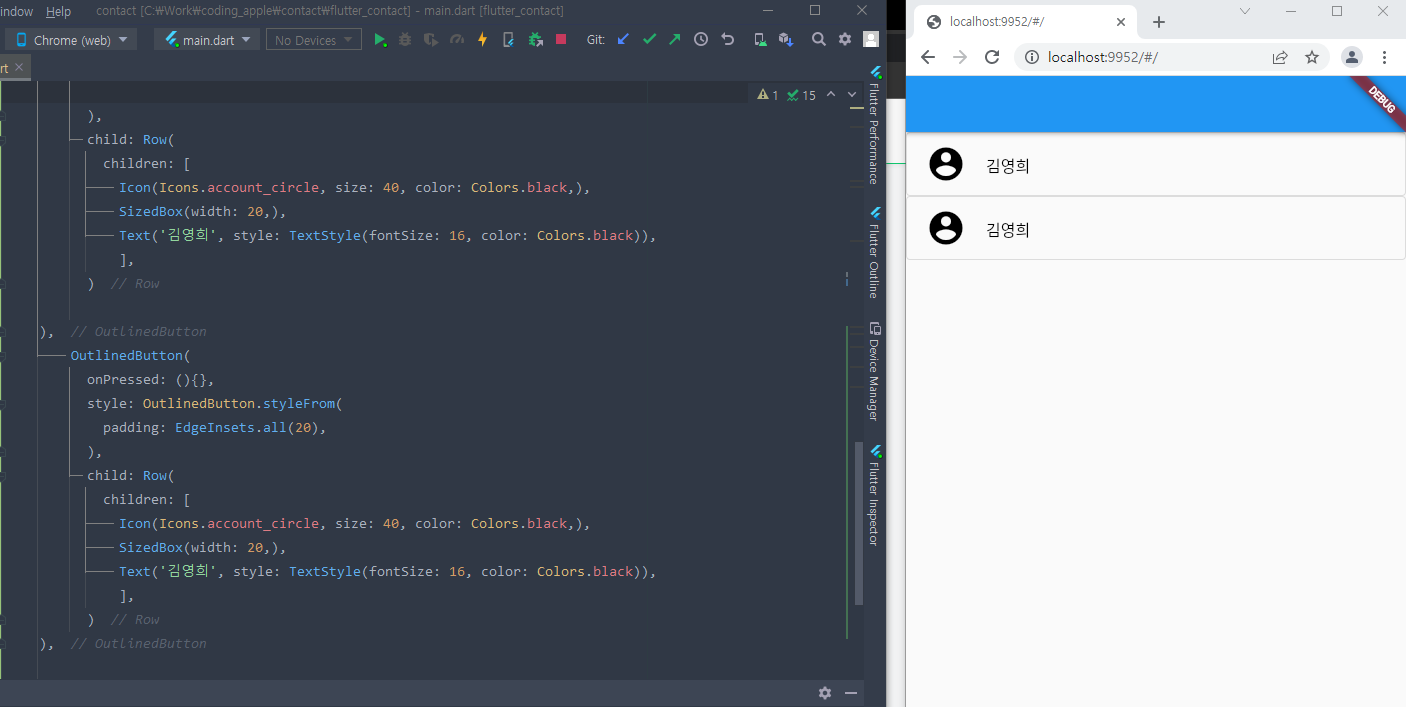
위 사진을 보면 버튼 두 개의 outline이 겹쳐지고 있다.
본디 디자이너 출신으로서 이딴 상황을 용납할 수 없다.
버튼에 한 줄만 넣고 싶단 말이다. olny one line button I want.
폭풍 검색 후 한 깃허브 낭인의 도움을 받아서 줄이 아름답게 보이도록 코드를 짤 수 있었다.

HansMuller의 코드
DecoratedBox(
decoration: BoxDecoration(
border: Border(
top: BorderSide(color: Colors.black),
),
),
child: TextButton(
onPressed: () { },
child: Text('TextButton'),
),
)
도움 받아 완성한 내 코드
DecoratedBox(
decoration: BoxDecoration(
border: Border(
bottom: BorderSide(
color: Color.fromRGBO(229, 229, 229, 1.0),width: 1,),
) ),
child: TextButton( onPressed: (){},
style: OutlinedButton.styleFrom(
padding: EdgeInsets.fromLTRB(10,20,10,24),
),
child: Row(
children: [
Icon(Icons.account_circle, size: 40, color: Colors.black,),
SizedBox(width: 20,),
Text('김영희', style: TextStyle(fontSize: 16, color: Colors.black)),
],
)),
),
결과물
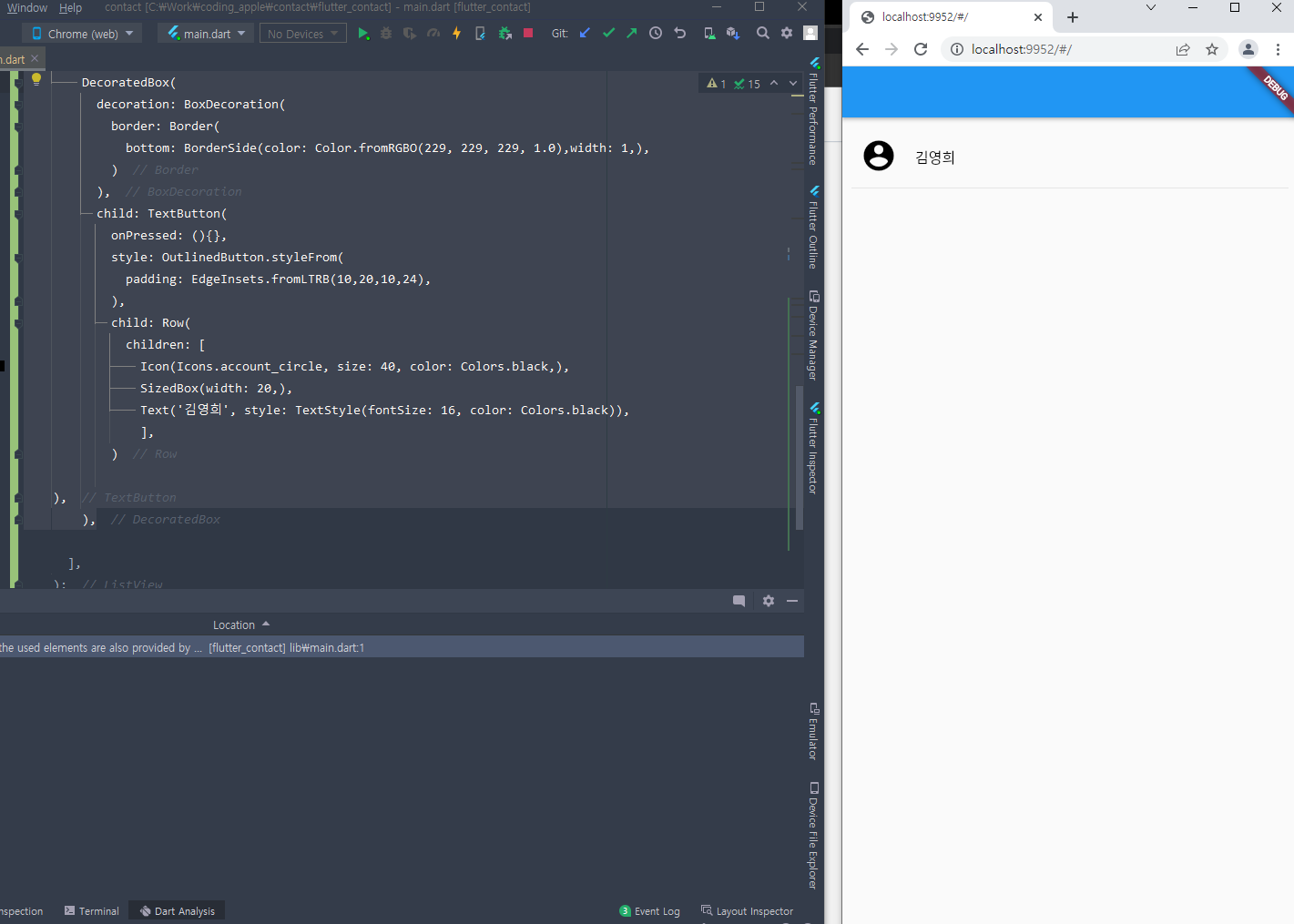
은은하게 회색 줄이 있는 듯 마는 듯...
게다가 라인이 끝까지 이어지지 않는 여유로움까지...
flutter 꿀잼유
'Coding Error Log > Flutter' 카테고리의 다른 글
| 플러터 SVG파일 오류 exception caught by SVG 일러스트 export로 해결 (0) | 2022.05.11 |
|---|---|
| flutter 콘솔(console)창 확인하기, DevTool 들어가기 (0) | 2022.04.16 |
| android studio와 git 연결, 새 repository 생성 (0) | 2022.04.13 |
| Android Studio create a new flutter project 멈춤 오류 (0) | 2022.04.12 |
| Flutter 설치 후 flutter doctor 먹통 문제, 반응 없음, Visual Studio 설치하세여 (0) | 2022.04.12 |